The App • Own
PayoffPlanner
Debt Payoff App
Plan your debt payoff without a spreadsheet. List what you owe, compare Snowball, Avalanche and Hybrid strategies, model windfalls and get a month-by-month payoff calendar with your exact debt-free date.
Free
for up to 3 debts • Pro $25 one-time for everything
- Free for up to 3 debts
- Your numbers stay in your browser
- Secure Stripe checkout

$25Pro • one-time, no subscription
Sound familiar?
Paying every month.
Getting nowhere.
No finish line
You make the payments, but you couldn’t say when any of it will actually be paid off.
Spreadsheet headaches
Broken formulas, wrong cells and hours of fiddling, just to answer “which debt do I pay first?”
No plan of attack
Snowball or avalanche? Without a side-by-side comparison, extra money gets scattered.
Who it's for
Built for anyone paying
more than one debt.
Juggling several balances
You pay two or more credit cards, loans or medical bills every month and want to know which one to attack first.
Ready for a finish line
You want a debt-free date you can circle on the calendar and a month-by-month plan you can actually follow.
Not the right first step if you are behind
If you are missing payments or facing collections, talk with a nonprofit credit counselor first. PayoffPlanner plans payments; it does not lend, consolidate or negotiate debt.
What you get
Four screens. One plan to zero.
Every chart updates instantly as you type or drag a slider.
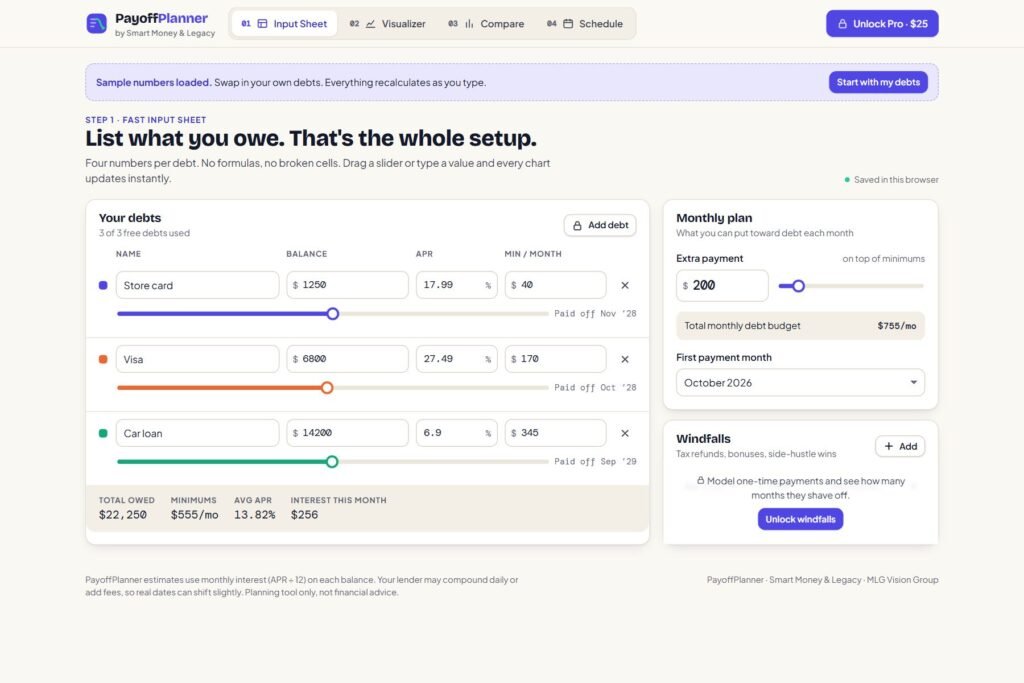
01 • Fast Input Sheet
List what you owe: four numbers per debt. No formulas, no broken cells. That's the whole setup.
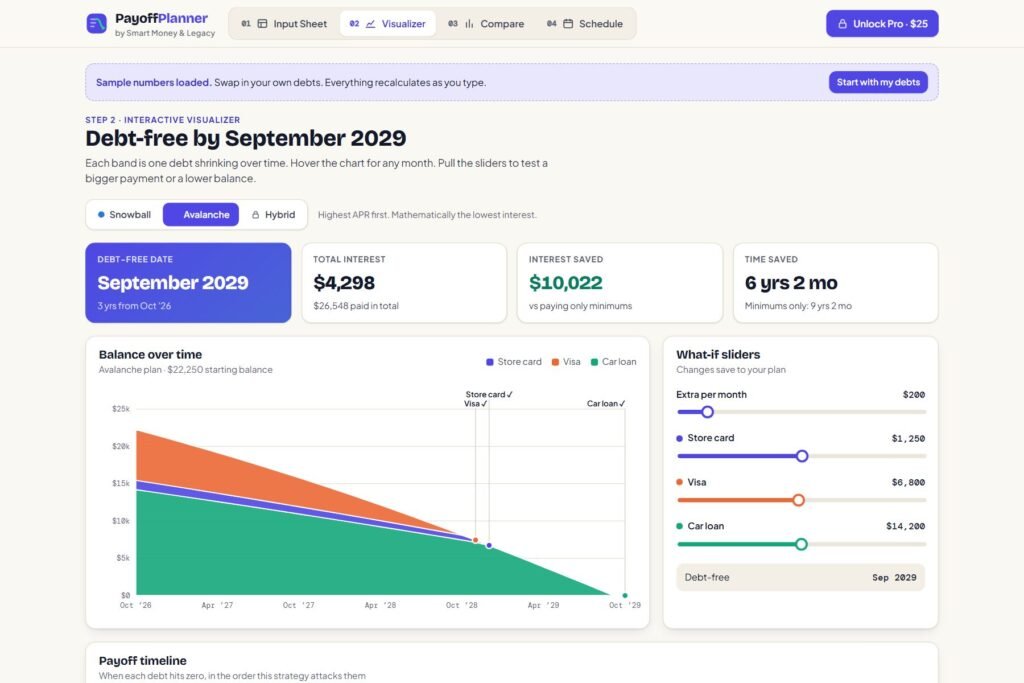
02 • Interactive Visualizer
Your debt-free date, a balance-over-time chart, what-if sliders and a timeline showing when each debt hits zero.
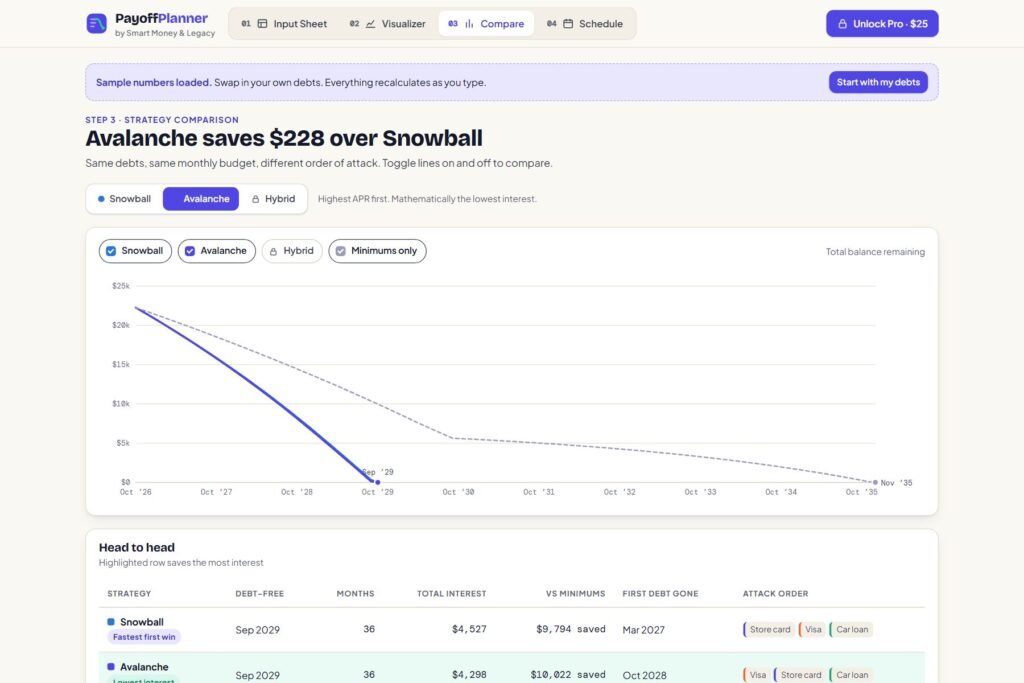
03 • Strategy Comparison
Snowball vs Avalanche vs Hybrid vs minimums only. Same debts, same budget, and see which saves the most interest.
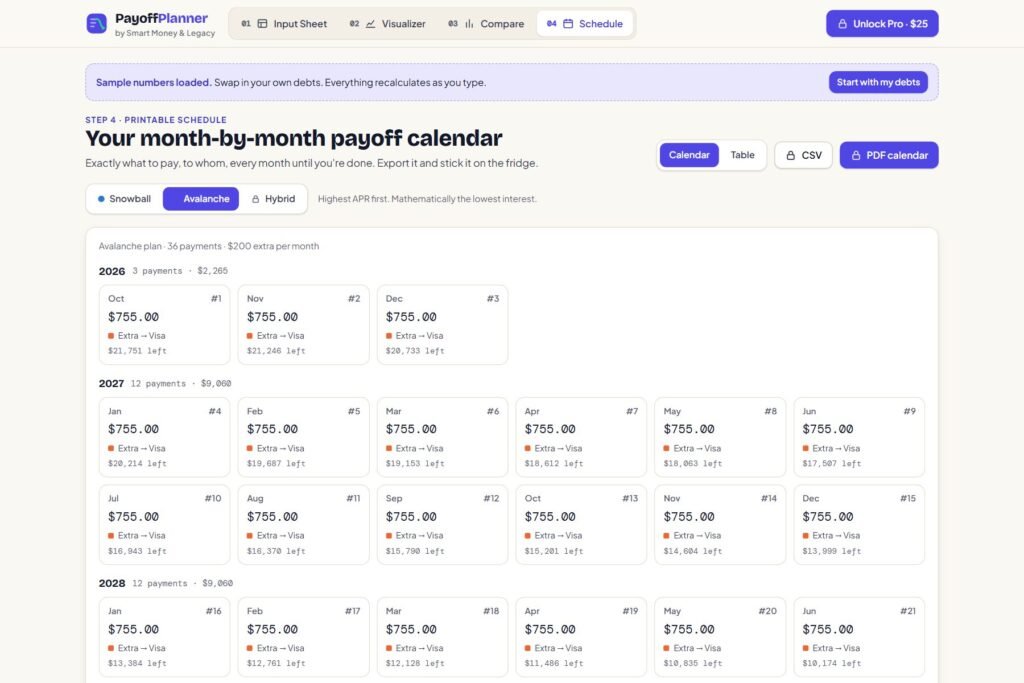
04 • Printable Schedule
Exactly what to pay, to whom, every month until you're done. Export a PDF calendar or CSV and stick it on the fridge.
- Windfall modeling
- PDF & CSV export
- Saved in your browser
- Phone & desktop
See it in action
Real screens.
Sample numbers.
These are the four screens you use, shown with the sample debts the app loads on your first visit. Swap in your own numbers and every chart and date updates.
Try it
When could you be debt-free?
Total balance
Average interest rate (APR)
Monthly payment
Extra each month
The gold line includes your extra payment. The faint line is without it.
Debt-free by
—
in —
Extra payment saves you
—
in interest, and — sooner
That payment doesn't cover the monthly interest, so the balance never goes down. Try a higher payment.
Simplified estimate treating your debt as one balance at one rate. PayoffPlanner plans each debt separately. Not financial advice.
Pricing
Start free. Pay once for Pro.
No subscription. Prices in US dollars.
Free
- Up to 3 debts
- Fast Input Sheet
- Interactive Visualizer
- Snowball vs Avalanche comparison
- Month-by-month payoff schedule
Pro
one-time
- Unlimited debts
- Hybrid strategy with adjustable quick-win threshold
- Windfall modeling for refunds, bonuses and side income
- Unlimited PDF payoff calendars and CSV exports
- Every future update
How it works
Three steps to your plan
1. Open the app
PayoffPlanner runs in your browser. Enter your debts and see your plan free, with no card needed.
2. Unlock Pro
Pay $25 once on Stripe's secure checkout page.
3. It turns on instantly
Pro activates automatically when you finish paying. On a new device, tap Restore purchase and enter your checkout email.
Questions
PayoffPlanner FAQ
Is Pro a subscription?
No. Pro is a one-time $25 payment in US dollars. No monthly fees, no renewals.
How do I get Pro after I pay?
Pro turns on automatically in your browser as soon as you finish checkout. To use it on another device, choose Restore purchase in the app and enter the email you used at checkout.
Where are my numbers stored?
Your debts and plan are saved in your own browser on your own device. You never connect a bank account and nothing is pulled from your bank.
How accurate are the dates?
PayoffPlanner calculates monthly interest (APR divided by 12) on each balance. Your lender may compound daily or add fees, so real dates can shift slightly. It’s a planning tool, not financial advice.
What can I pay with?
Checkout is handled by Stripe. You can pay with major credit and debit cards and supported digital wallets. We never see or store your card number.
Can I get a refund?
Try the free version first. Because Pro unlocks the moment you pay, purchases are non-refundable except for technical problems we can’t fix, duplicate charges or charges made in error reported within 7 days. See the Refund Policy.
How does PayoffPlanner calculate my debt-free date?
Each month it adds interest to every balance (your APR divided by 12), pays every minimum, then sends your extra money to the debt your strategy targets. When a debt hits zero, its payment rolls to the next one. The date is an estimate: real lenders may compound daily, change your rate or add fees. See how our tools work for the full method.
Does PayoffPlanner guarantee I will be debt-free by that date?
No. It shows what happens if you make the payments you enter and your rates and balances stay the same. New charges, rate changes or missed payments will change the result.
Put a date on your debt-free day
Free for up to 3 debts. Pro is $25 one-time. Secure Stripe checkout.
Questions? Call 717-255-4562 or email billing@smartmoneyandlegacy.com.